Trimaginator Picture Editor, G2.1
Publisher Description

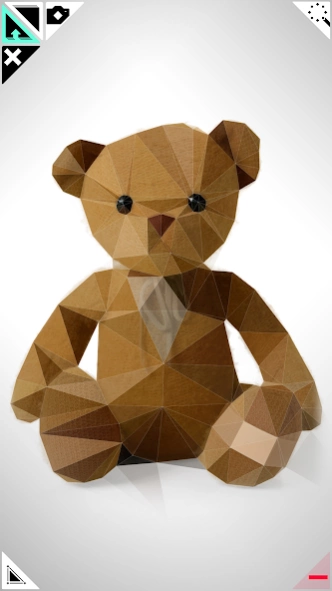

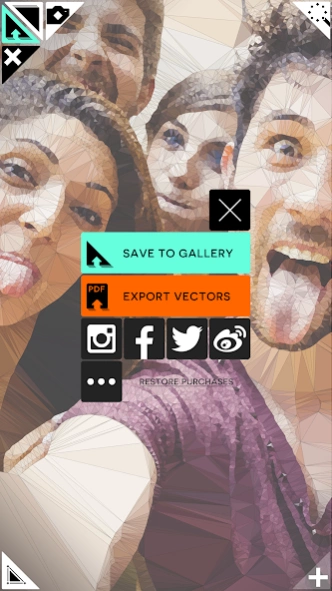
Unleash your creativity and transform your photos into geometric Works of Art!
Inspired by the triangulation developed by mathematician Boris Delaunay in 1934, Trimaginator reduces an image to its essentials, creating the illusions of triangles, prisms and pyramids.
Combined with unique geometry effects, the results can be mesmerizing. Think cubism, or surreal geometric landscapes, think turning your face into a logo, or your cat's face, or well, anything that has or doesn't have a face!
FEATURES
▲ Tons of geometry and style effects!
▲ Draw with points
▲ Easy sharing
▲ Vector export for professionals
So what are you waiting for? Just play around and see what you can come up with!
MADE WITH LOVE
If you want regular updates and improvements on Trimaginator, support its independent development by leaving a review or a positive comment!
Also, if you find a bug or would like to request a function, use the in-app support button. I'll be happy to reply to you.
COMMUNITY
Join @trimaginator on Facebook, Instagram, Twitter, Flickr, Pinterest and Tumblr!
http://www.trimaginator.com
CREDITS
Demo Musical Video: "Virevolte" from Kraklet EP (Pikimup Records) Facebook @Yullamoule
About Trimaginator Picture Editor, G
The company that develops Trimaginator Picture Editor, G is Paul Ollivier. The latest version released by its developer is 2.1.
To install Trimaginator Picture Editor, G on your Android device, just click the green Continue To App button above to start the installation process. The app is listed on our website since 2018-05-04 and was downloaded 13 times. We have already checked if the download link is safe, however for your own protection we recommend that you scan the downloaded app with your antivirus. Your antivirus may detect the Trimaginator Picture Editor, G as malware as malware if the download link to air.Trimaginator is broken.
How to install Trimaginator Picture Editor, G on your Android device:
- Click on the Continue To App button on our website. This will redirect you to Google Play.
- Once the Trimaginator Picture Editor, G is shown in the Google Play listing of your Android device, you can start its download and installation. Tap on the Install button located below the search bar and to the right of the app icon.
- A pop-up window with the permissions required by Trimaginator Picture Editor, G will be shown. Click on Accept to continue the process.
- Trimaginator Picture Editor, G will be downloaded onto your device, displaying a progress. Once the download completes, the installation will start and you'll get a notification after the installation is finished.
Program Details
System requirements
Download information
Pricing
Version History
version 2.1
posted on 2018-05-04
+ Better adaptative user interface layout
+ GPU rendering
version 1.9
posted on 2016-04-05
Missing UI elements bug fixed ( again ) !
